💻⚙️Steam Deck Switch Emulation 2026: Complete Setup & Performance Guide
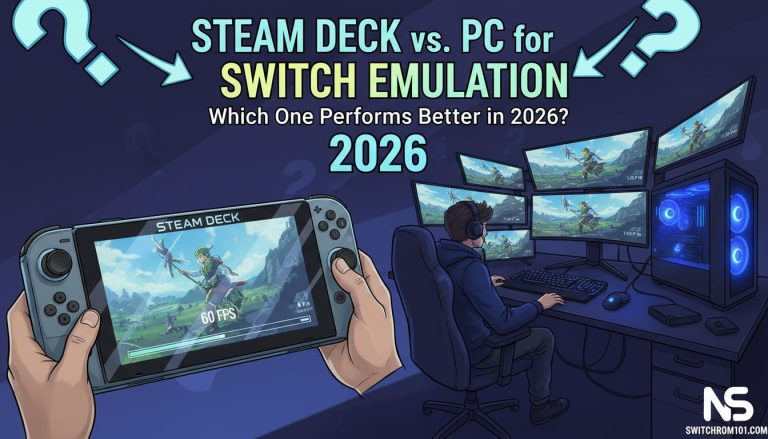
In 2026, the Steam Deck continues to be a game-changer for portable gaming, offering the ability to run games from various platforms, including Nintendo Switch emulation. With the rise of emulators like Yuzu and Ryujinx, gamers are now able to experience Nintendo Switch games on the go with a powerful and portable device. In this article, we’ll dive into Steam Deck Switch emulation in 2026, its performance, compatibility, and how to set it up for the best experience.
What is Steam Deck and How Does It Support Switch Emulation?
The Steam Deck is a handheld gaming console developed by Valve, capable of running PC games and emulating other gaming platforms, including the Nintendo Switch. Powered by a custom AMD APU, it provides excellent performance for emulation of games from systems like the Switch, PlayStation, Xbox, and more.
- Key Specs:
- Processor: AMD Zen 2 (Quad-core, 8 threads)
- Graphics: RDNA 2-based GPU
- RAM: 16GB LPDDR5
- Storage Options: 64GB eMMC, 256GB NVMe SSD, or 512GB NVMe SSD
- Screen: 7-inch touchscreen with 1280×800 resolution
With these specs, the Steam Deck is more than capable of running Switch emulation software like Yuzu and Ryujinx, though performance may vary depending on the settings and the game being emulated.
Steam Deck Switch Emulation Performance in 2026
The Steam Deck offers solid performance for Switch emulation, especially when compared to other portable devices. Here’s how it holds up in 2026:
1. Performance with Yuzu Emulator
- Yuzu is one of the leading Switch emulators for PC, and it runs smoothly on the Steam Deck for most games. For graphically demanding games like The Legend of Zelda: Breath of the Wild, the Steam Deck can achieve 30-60 FPS at 720p or 1080p, depending on settings.
- Performance Tip: Reduce the internal resolution to 720p or lower to improve performance and achieve smoother gameplay.
2. Performance with Ryujinx Emulator
- Ryujinx is another popular Switch emulator that works well on the Steam Deck. Ryujinx tends to be more stable with a wider range of games compared to Yuzu, especially for less demanding titles.
- Performance Tip: If you are running Ryujinx on the Steam Deck, turning off advanced graphical settings such as shaders and anti-aliasing can lead to better performance.
3. General Switch Game Compatibility
- High-Performance Games: Yuzu and Ryujinx both perform well with AAA titles like Super Mario Odyssey, Splatoon 2, and Pokemon Sword & Shield, although some frame drops can occur in demanding scenes or open-world games.
- Low-Performance Games: Indie games or less graphically demanding titles run exceptionally well on the Steam Deck and can easily maintain 30 FPS or higher with higher settings.
Ryujinx vs Yuzu: Which Emulator Is Best for Nintendo Switch Games?
Best Settings for Switch Emulation on Steam Deck in 2026
To achieve the best performance while emulating Switch games on your Steam Deck, consider these settings:
1. Lower the Internal Resolution
- Set the internal resolution to 720p or 960p to achieve smoother gameplay, especially for more demanding games.
2. Enable Vulkan for Better Performance
- For Yuzu, enabling Vulkan instead of OpenGL provides a performance boost, particularly for the Steam Deck’s GPU.
3. Use “Low Power” Mode for Extended Battery Life
- Running Switch emulation on the Steam Deck can be taxing on the device’s battery. To preserve battery life, use the Low Power mode for less demanding games or when playing on-the-go.
4. Adjust Game-Specific Settings
- Each game may have its own optimization settings in Yuzu and Ryujinx. Make sure to check online communities or Discord channels for specific settings that work well for popular Switch games on the Steam Deck.
Is It Legal to Dump Your Own Nintendo Switch Games?
Switch Emulation on Steam Deck: Advantages and Limitations
Advantages:
- Portability: The Steam Deck is a handheld console, making it easy to play Switch games anywhere without sacrificing too much performance.
- Great Performance for Price: Compared to high-end PCs, the Steam Deck offers an affordable alternative for running Switch emulation with good performance, especially for mid-range titles.
- SteamOS Compatibility: As a Linux-based system, SteamOS can run various emulation software, including Yuzu and Ryujinx, without the need for Windows.
Limitations:
- Battery Life: Switch emulation can drain the Steam Deck’s battery quickly, so you may need to be cautious about battery life for longer gaming sessions.
- Lower-End Game Performance: While low-end games run fine, graphically intensive titles may experience frame drops unless you tweak settings.
- Compatibility Issues: Some Switch games may have bugs or graphical issues when emulated on the Steam Deck, although this is common across most emulation platforms.
How to Set Up Switch Emulation on Steam Deck in 2026
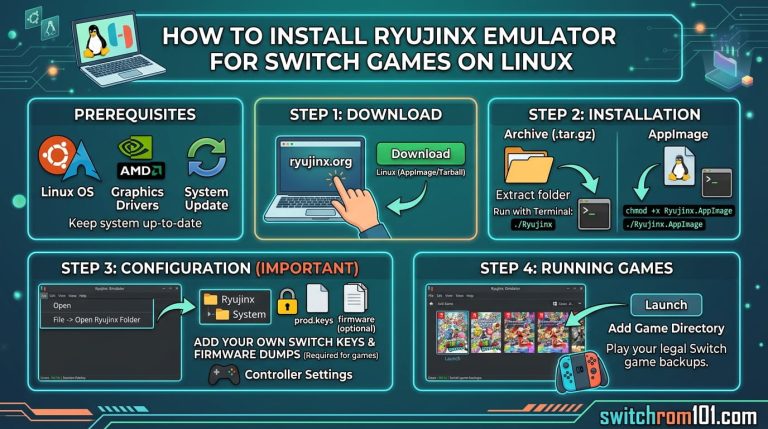
1. Install Yuzu or Ryujinx on SteamOS:
- First, you need to install the Yuzu or Ryujinx emulator on the Steam Deck. You can do this by enabling Developer Mode and using desktop mode to install the emulators.
2. Transfer Switch Games (Legally):
- You must own the games to comply with legal guidelines. You can dump your Switch games to ROMs using homebrew tools or download legal backups of games from the eShop.
3. Adjust Emulator Settings:
- After installing your emulator, adjust settings like resolution, Vulkan/OpenGL, and frame limits to optimize performance.
4. Test and Enjoy:
- Once everything is set up, you can start emulating your favorite Switch games on the Steam Deck and enjoy a portable gaming experience.
Conclusion: Steam Deck Switch Emulation in 2026
The Steam Deck continues to be a fantastic device for Switch emulation in 2026, offering great portability and decent performance for a variety of Switch games. With the right settings, both Yuzu and Ryujinx can run many titles smoothly, though you may need to tweak your settings depending on the game.
While not as powerful as a high-end PC, the Steam Deck strikes a great balance between performance and portability, making it a solid choice for gamers who want to emulate Switch games on the go.
FAQ
1. Can I emulate all Switch games on the Steam Deck?
While the Steam Deck can emulate most Switch games, some demanding titles may struggle with performance, especially on lower settings. Popular games like Super Mario Odyssey and Breath of the Wild run well, but you might need to tweak settings for smoother gameplay.
2. How do I install Yuzu or Ryujinx on the Steam Deck?
You can install both Yuzu and Ryujinx through desktop mode on the Steam Deck. You’ll need to enable Developer Mode and use Linux commands or a package manager to install the emulators.
3. What are the best settings for Switch emulation on the Steam Deck?
For the best performance, lower the internal resolution, use Vulkan backend, and enable low power mode to conserve battery. Adjust game-specific settings based on recommendations from the community.
{ “@context”: “https://schema.org”, “@type”: “FAQPage”, “mainEntity”: [ { “@type”: “Question”, “name”: “Can I emulate all Switch games on the Steam Deck?”, “acceptedAnswer”: { “@type”: “Answer”, “text”: “While the Steam Deck can emulate most Switch games, some demanding titles may struggle with performance, especially on lower settings. Popular games like Super Mario Odyssey and Breath of the Wild run well, but you might need to tweak settings for smoother gameplay.” } }, { “@type”: “Question”, “name”: “How do I install Yuzu or Ryujinx on the Steam Deck?”, “acceptedAnswer”: { “@type”: “Answer”, “text”: “You can install both Yuzu and Ryujinx through desktop mode on the Steam Deck. You’ll need to enable Developer Mode and use Linux commands or a package manager to install the emulators.” } }, { “@type”: “Question”, “name”: “What are the best settings for Switch emulation on the Steam Deck?”, “acceptedAnswer”: { “@type”: “Answer”, “text”: “For the best performance, lower the internal resolution, use Vulkan backend, and enable low power mode to conserve battery. Adjust game-specific settings based on recommendations from the community.” } } ] }Is Switch Emulation Legal in the US, UK & EU? A Complete Legal Guide (2026)

(GameOverlord) has been involved in Nintendo Switch emulation
since 2019. She owns two Nintendo Switch consoles and a Steam Deck OLED,
and has hands-on tested over 40 Switch titles across Ryujinx and
Sudachi emulators. Her background is in consumer electronics and
she has followed emulation law developments in the US, UK, and EU
since the Yuzu shutdown in 2024. SwitchROM101 was built to fill the
gap left by misleading ROM sites — giving gamers accurate, legal,
and technically correct information without hosting any game files.