🏆What Is the Best GPU for Switch Emulation in 2026?
Switch emulation has become a popular way for gamers to enjoy Nintendo Switch titles on a PC using emulators like Yuzu and Ryujinx. However, to get the best performance, especially with graphically demanding games, a high-quality GPU is essential. In this article, we’ll review the best GPUs for Switch emulation in 2026, helping you choose the right graphics card for smooth gameplay, whether you’re aiming for 4K emulation or simply trying to enhance your gaming experience on a mid-range PC.
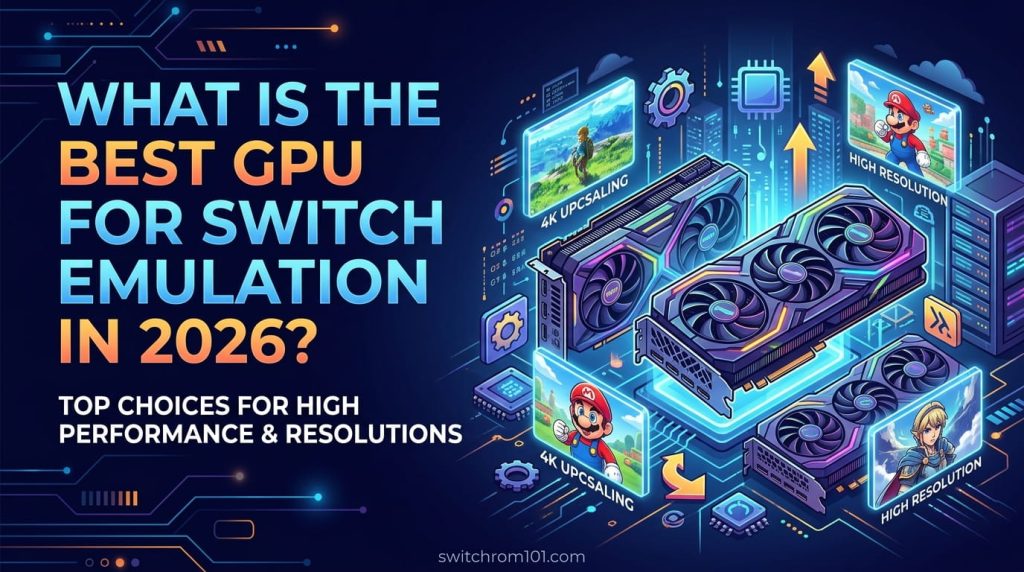
What Makes a Good GPU for Switch Emulation?
When choosing the best GPU for Switch emulation, there are several factors to consider:
- Performance (Frame Rate & Resolution):
- A good GPU should be able to run Switch games at 60 FPS (frames per second) and handle higher resolutions, such as 1440p or 4K.
- Compatibility:
- The GPU should work seamlessly with popular Switch emulators, such as Yuzu and Ryujinx, to ensure you get the best graphical output and stability.
- VRAM (Video Memory):
- 4GB VRAM is the minimum recommended for Switch emulation, but 8GB or more is ideal for higher resolutions and demanding games.
- Ray Tracing:
- Some high-end GPUs offer ray tracing for enhanced visuals. While not always necessary for Switch emulation, it can add visual flair to certain titles.
- Price-to-Performance Ratio:
- Choose a GPU that fits within your budget while delivering the best possible performance for Switch emulation.
Top GPUs for Switch Emulation in 2026
1. NVIDIA GeForce RTX 4090
The NVIDIA GeForce RTX 4090 is the king of GPUs for Switch emulation in 2026. If you have a high-end PC and want the best possible performance, the RTX 4090 is the way to go.
- Pros:
- Ray tracing support for enhanced visuals.
- 24GB of GDDR6X VRAM for 4K gaming.
- Unmatched performance for Switch emulation at 4K with 60+ FPS.
- Great for demanding games like Breath of the Wild and Super Mario Odyssey.
- Cons:
- Extremely expensive and may not be necessary for casual gamers.
- Requires significant power and cooling.
2. NVIDIA GeForce RTX 4080
For gamers who want exceptional performance but don’t need the power of the RTX 4090, the RTX 4080 is an excellent choice.
- Pros:
- 16GB of GDDR6X VRAM.
- Superb 1440p and 4K performance for Switch emulation.
- Slightly more affordable than the RTX 4090.
- DLSS support for enhanced resolution scaling.
- Cons:
- Still a high-priced card, making it ideal for mid-to-high-range budgets.
- Performance may not be as powerful as the RTX 4090 for ultra-demanding games.
3. AMD Radeon RX 7900 XTX
If you prefer AMD over NVIDIA, the Radeon RX 7900 XTX is a fantastic choice for Switch emulation in 2026, offering great performance and value.
- Pros:
- 24GB of GDDR6 VRAM.
- Great for 4K emulation with consistent 60 FPS.
- Great price-to-performance ratio.
- Competitive with NVIDIA in performance for Switch emulation.
- Cons:
- Ray tracing performance is still a bit behind NVIDIA’s RTX 4000 series.
- Software (drivers) may not be as polished as NVIDIA’s.
4. NVIDIA GeForce RTX 4070 Ti
For mid-range gamers, the RTX 4070 Ti offers excellent performance at a lower price compared to the RTX 4080 and RTX 4090.
- Pros:
- 12GB of GDDR6X VRAM.
- Excellent performance for 1440p and 4K gaming.
- Great DLSS support for enhanced graphical fidelity at lower resolutions.
- Cons:
- Not as powerful as the RTX 4080 or RTX 4090 for the most demanding games.
- Still a relatively high-priced card for mid-range gamers.
5. AMD Radeon RX 7800 XT
The Radeon RX 7800 XT is an affordable yet powerful GPU for gamers who want great performance without breaking the bank.
- Pros:
- 16GB of GDDR6 VRAM.
- Solid performance at 1440p and 4K for Switch emulation.
- Great value compared to NVIDIA’s offerings.
- Reliable driver support.
- Cons:
- Less performance in ray tracing than NVIDIA’s RTX series.
- Slightly less optimization for some Switch games compared to Yuzu or Ryujinx.
Best GPU for Running Yuzu in 2026: Top Picks for High-Performance Emulation
How to Optimize Your GPU for Switch Emulation
To get the best out of your GPU for Switch emulation, follow these steps:
1. Use Vulkan Backend
- For emulators like Yuzu and Ryujinx, Vulkan generally provides better performance than OpenGL. Make sure to enable Vulkan as the graphics backend for improved emulation speed.
2. Adjust Resolution Settings
- Lowering the internal resolution (e.g., 720p or 1080p) can dramatically improve performance, especially if you have a mid-range GPU.
3. Enable Dynamic Resolution Scaling (DRS)
- In Yuzu, enabling Dynamic Resolution Scaling will help maintain a smooth frame rate by automatically adjusting the resolution based on the game’s performance demands.
4. Update Drivers Regularly
- Keep your GPU drivers up-to-date to ensure compatibility with the latest emulator updates and maximize performance. Both NVIDIA and AMD release optimizations specifically for emulation performance in their driver updates.
What Is the Best GPU for Switch Emulation in 2026?
The best GPU for Switch emulation in 2026 depends on your budget and performance needs. For the best overall performance, the NVIDIA RTX 4090 offers the highest frame rates and 4K emulation capabilities. However, if you’re on a mid-range budget, the RTX 4070 Ti and AMD RX 7900 XTX are fantastic alternatives that still provide great performance without the high cost. For budget-conscious gamers, the AMD RX 7800 XT offers excellent value while still handling Switch games at 1440p or 4K.
Ultimately, NVIDIA’s RTX 4000 series and AMD’s RX 7000 series are the go-to choices for smooth Switch emulation in 2026. Choose the one that fits your system requirements, budget, and gaming expectations.
FAQ
1. Can I run Switch emulation with a low-end GPU?
Yes, but the performance will be limited. Low-end GPUs can run Switch emulators at lower resolutions and frame rates, but you may experience slowdowns with more demanding games.
2. Is 4GB of VRAM enough for Switch emulation?
4GB VRAM is the minimum recommended for Switch emulation, but for better performance, especially at higher resolutions, 6GB to 8GB of VRAM is preferred.
3. How do I improve GPU performance for Switch emulation?
Optimize graphics settings, use Vulkan as the backend, and lower resolution to improve performance on mid-range or low-end GPUs.
Ryujinx vs Yuzu: Which Emulator Is Best for Nintendo Switch Games?

(GameOverlord) has been involved in Nintendo Switch emulation
since 2019. She owns two Nintendo Switch consoles and a Steam Deck OLED,
and has hands-on tested over 40 Switch titles across Ryujinx and
Sudachi emulators. Her background is in consumer electronics and
she has followed emulation law developments in the US, UK, and EU
since the Yuzu shutdown in 2024. SwitchROM101 was built to fill the
gap left by misleading ROM sites — giving gamers accurate, legal,
and technically correct information without hosting any game files.