👇How to Build a Silent PC for Smooth Switch Emulation⚡
Building a silent PC for Switch emulation can significantly enhance your gaming experience. Emulating Nintendo Switch games on a PC requires powerful hardware, but it doesn’t have to come with loud fans and distractions. Whether you’re running emulators like Yuzu or Ryujinx, a silent PC setup will provide a more immersive experience without the noise. In this guide, we’ll walk you through how to build a quiet, high-performance PC that can handle Switch emulation smoothly.
Why Choose a Silent PC for Switch Emulation?
A silent PC setup is ideal for Switch emulation because:
- Reduced Noise: Silent PCs allow you to focus on your game without the distraction of loud fans or cooling systems.
- Optimal Performance: A well-built PC with efficient cooling can run Switch emulators like Yuzu and Ryujinx at higher frame rates without overheating.
- Aesthetics: A quieter system tends to be sleeker and looks more refined in your gaming setup.
The key is selecting the right components and using silent cooling solutions to ensure the PC operates quietly while maintaining great performance.
Key Considerations for Building a Silent PC for Switch Emulation
1. Choose a Silent PC Case
The case is essential for a silent PC build. Look for cases that feature:
- Sound-dampening materials: Cases with built-in foam or acoustic panels help absorb noise.
- Closed-front design: A solid front panel helps reduce noise coming from fans.
- Efficient airflow: Even though the goal is silence, your case should still provide enough airflow to cool your components.
Recommended Silent Cases:
- Fractal Design Define 7: Known for its sound-dampening materials and excellent airflow, this case is one of the top choices for silent builds.
- NZXT H510: A more compact option with great airflow and a clean design.
- be quiet! Dark Base Pro 900: A top-tier silent case offering soundproofing and customizable airflow.
2. Select a Quiet CPU Cooler
Since Switch emulation is demanding on the CPU, using a silent CPU cooler is essential for both quiet operation and cooling efficiency.
- Air Coolers: Opt for high-quality air coolers that offer silent performance.
- Noctua NH-D15: One of the best air coolers for quiet performance.
- be quiet! Dark Rock Pro 4: A highly effective, quiet cooler that works well in silent builds.
- All-in-One Liquid Coolers (AIO): If you prefer liquid cooling, look for AIO coolers with low-noise pumps and fans.
- Corsair iCUE H100i Elite Capellix: A quiet AIO liquid cooler with great cooling power.
- NZXT Kraken X63: Known for being quieter than other AIO coolers with excellent thermal performance.
3. Choose a Quiet Power Supply (PSU)
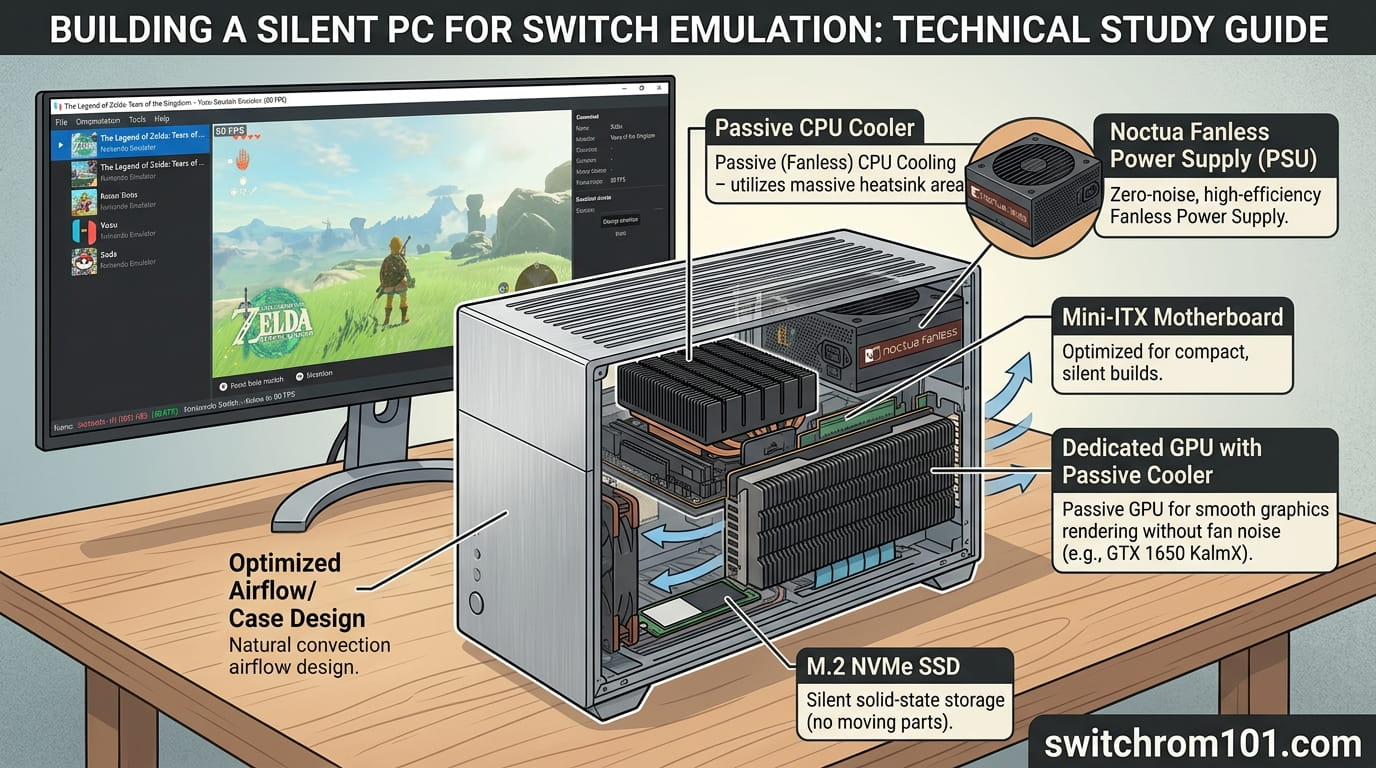
A PSU is one of the most common sources of noise in a PC. Look for a high-efficiency power supply with a silent fan or fanless operation.
Recommended PSUs:
- Seasonic Prime TX-850: Known for its whisper-quiet fan and great efficiency.
- be quiet! Straight Power 11: A fanless design for minimal noise.
4. Select a Silent GPU
For Switch emulation, a powerful GPU is crucial, but you don’t want the noise of an overworked graphics card.
- Look for passively cooled GPUs or those with quiet fan designs.
- NVIDIA GeForce RTX 4070 Ti or AMD Radeon RX 7800 XT are excellent options that offer good performance for Switch emulation while remaining relatively quiet.
Some GPUs, like those from Gigabyte’s Windforce series or MSI’s Ventus models, are designed to produce less noise under load. Consider also getting a **GPU with a dual-fan design for quieter cooling.
5. Use Silent Fans
Choose case fans that are designed to run quietly but still provide excellent airflow. PWM fans (pulse-width modulation) allow the fan speed to be adjusted based on the CPU and GPU temperature.
- Noctua NF-P12 redux: These fans are known for being extremely quiet while offering great airflow.
- be quiet! Silent Wings 4: One of the quietest options for case and CPU cooling.
Is Switch Emulation Legal in the US, UK & EU? A Complete Legal Guide (2026)
Recommended Silent PC Components for Switch Emulation Build in 2026
Here’s a list of components for building a silent PC that can run Switch emulation smoothly:
| Component | Recommended Option |
|---|---|
| Case | Fractal Design Define 7, NZXT H510 |
| CPU Cooler | Noctua NH-D15, be quiet! Dark Rock Pro 4 |
| Power Supply (PSU) | Seasonic Prime TX-850, be quiet! Straight Power 11 |
| GPU | NVIDIA GeForce RTX 4070 Ti, AMD Radeon RX 7800 XT |
| Case Fans | Noctua NF-P12 redux, be quiet! Silent Wings 4 |
| Storage (SSD) | Samsung 970 Evo Plus 1TB (for fast game loading) |
CPU Recommendations for Switch Emulation in 2026:
- Intel Core i9-13900K: Ideal for high-end Switch emulation with excellent performance.
- AMD Ryzen 9 7950X: Perfect for those who prefer AMD and need multi-core power for demanding emulators.
How to Build a Silent PC for Smooth Switch Emulation
Step 1: Choose Your Components Carefully
Start with the silent PC case and choose components that are specifically designed for silent operation, such as be quiet! and Noctua components.
Step 2: Install Efficient Cooling
Ensure you have a good cooling system that is both silent and efficient. Install your CPU cooler and case fans, making sure they are set up to provide optimal airflow while remaining as quiet as possible.
Step 3: Assemble Your PC
Assemble the CPU, GPU, and other components into the case. Ensure all cables are well-managed to prevent obstruction of airflow and to minimize any vibrations.
Step 4: Set Up the Emulator
Once the PC build is complete, install the Switch emulator (like Yuzu or Ryujinx) on your system. Adjust the emulator settings for optimal performance, making sure you can run your favorite Switch games smoothly.
Step 5: Test and Adjust
Test your PC’s performance with demanding games like Breath of the Wild or Super Mario Odyssey. Monitor temperatures and fan speeds. If necessary, adjust the fan speeds or tweak your emulator settings to ensure smooth gameplay without any noise issues.
Building a Silent PC for Smooth Switch Emulation
Building a silent PC for Switch emulation allows you to enjoy your favorite Switch games with smooth gameplay and zero distractions. By choosing the right components, such as a sound-dampening case, quiet CPU coolers, and silent GPUs, you can create an ideal environment for both gaming and productivity. Follow the steps in this guide to build your own silent PC for a seamless Switch emulation experience.
FAQ
1. Why is a silent PC important for Switch emulation?
A silent PC helps you focus on the game without distractions from loud fans and cooling systems, ensuring a more enjoyable and immersive gaming experience.
2. Can I build a silent PC for low-end Switch emulation?
Yes, you can build a silent PC for low-end Switch emulation by choosing quieter components, but keep in mind that high-end CPUs and GPUs may require more robust cooling solutions.
3. How do I know if my PC build is silent enough?
Test your PC under load with Switch emulators. If the noise is minimal during gameplay and you’re satisfied with performance, your build is likely quiet enough for smooth emulation.
Ryujinx vs Yuzu: Which Emulator Is Best for Nintendo Switch Games?

(GameOverlord) has been involved in Nintendo Switch emulation
since 2019. She owns two Nintendo Switch consoles and a Steam Deck OLED,
and has hands-on tested over 40 Switch titles across Ryujinx and
Sudachi emulators. Her background is in consumer electronics and
she has followed emulation law developments in the US, UK, and EU
since the Yuzu shutdown in 2024. SwitchROM101 was built to fill the
gap left by misleading ROM sites — giving gamers accurate, legal,
and technically correct information without hosting any game files.