Can You Play Switch ROMs on Your Phone?
Can I Play Switch ROMs on My Phone? The Truth Behind Mobile Emulation
The idea of playing Switch ROMs on your phone is an exciting one for many gamers—especially those who want to enjoy their favorite Switch games on the go. But can it actually be done? And if so, how well does it work?
Short answer: Yes, you can play Switch ROMs on some Android phones using emulators, but performance and compatibility are limited and vary by device.
In this guide, we’ll dive into the world of Switch emulation on mobile devices, explain the potential (and limitations) of playing Switch games on your phone, and help you understand if it’s worth trying.
Can I Play Switch ROMs on My Phone?
The simple answer: Yes, but with a lot of caveats.
Switch emulation on mobile devices is still an experimental feature, and while it’s possible to run Switch ROMs on certain smartphones, performance and compatibility can vary widely.
What Is Switch Emulation on Mobile?
The Role of Emulators
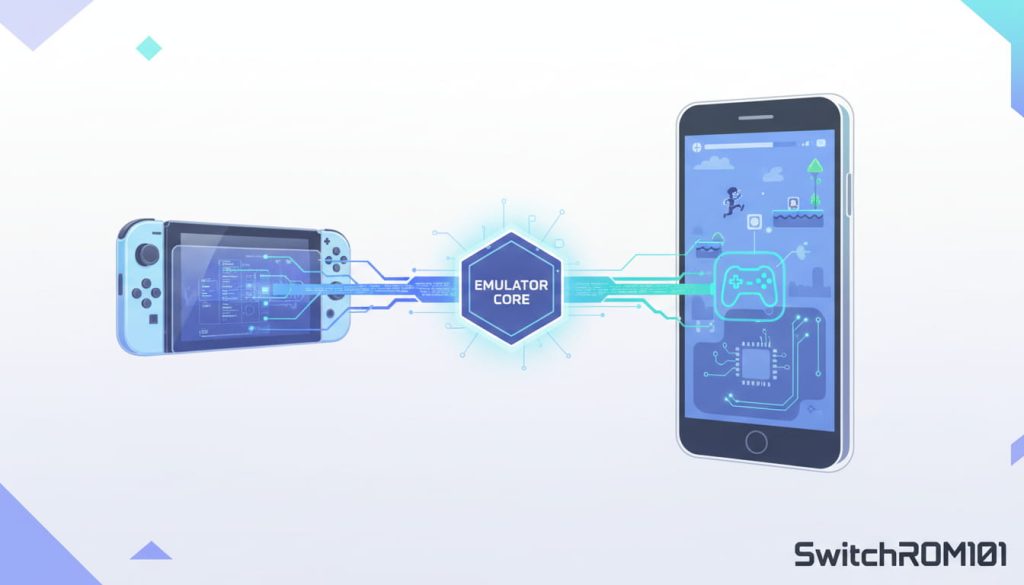
Emulation is the process of running software designed for one system (like the Nintendo Switch) on a completely different system (like your phone).
To play Switch ROMs on your phone, you need a Switch emulator that’s compatible with mobile operating systems.
Popular Mobile Emulators
There are a few mobile emulators that claim to support Switch ROMs:
- Skyline: An emulator specifically designed for Android devices to run Switch ROMs. It’s still in the early stages but shows promising potential.
- Yuzu (Experimental Android Version): Yuzu, a popular Switch emulator on PC, has been working on a limited Android version, but it’s not yet fully optimized for most phones.
What These Emulators Do
These emulators attempt to replicate the Switch system environment on mobile hardware so that Switch games can be played using ROMs. However, since mobile devices have less powerful CPUs and GPUs compared to a PC or the original Switch, the experience may not be ideal.
The Challenges of Playing Switch ROMs on Phones
Hardware Limitations
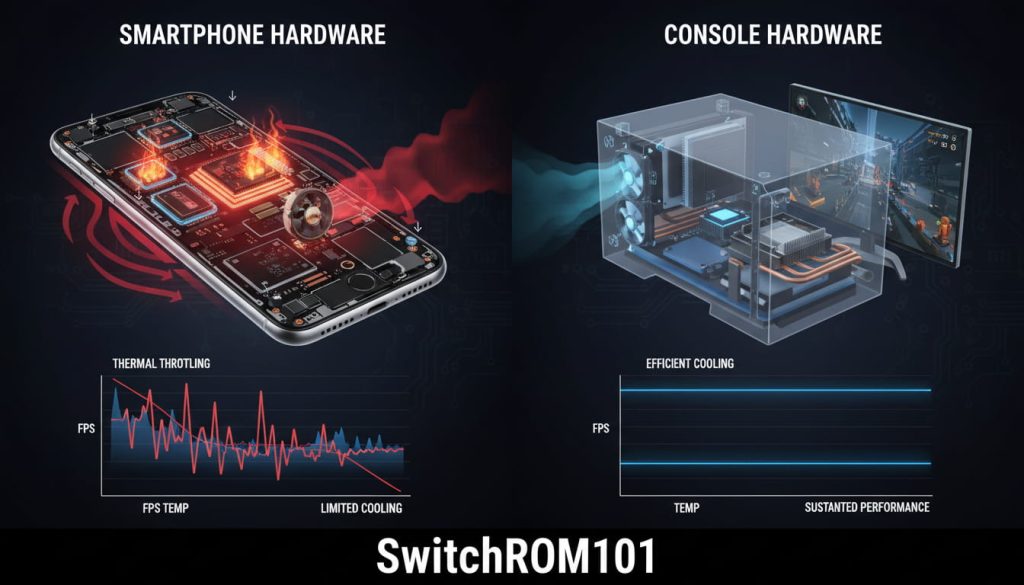
Phones are typically much less powerful than PCs or gaming consoles. The key challenges include:
- Graphics: Switch games are designed for a custom NVIDIA Tegra processor, which is hard to replicate on mobile GPUs.
- Processing Power: Running high-performance games requires a strong processor, and many mobile devices may struggle to run Switch games at full speed.
- Thermal Throttling: Phones can heat up quickly during heavy gaming, causing performance drops or crashes.
Game Compatibility
Not all Switch games will run smoothly or at all on mobile devices. Some games may:
- Run at a significantly lower frame rate
- Have glitches or graphical issues
- Fail to launch entirely
Which Phones Are Best for Playing Switch ROMs?
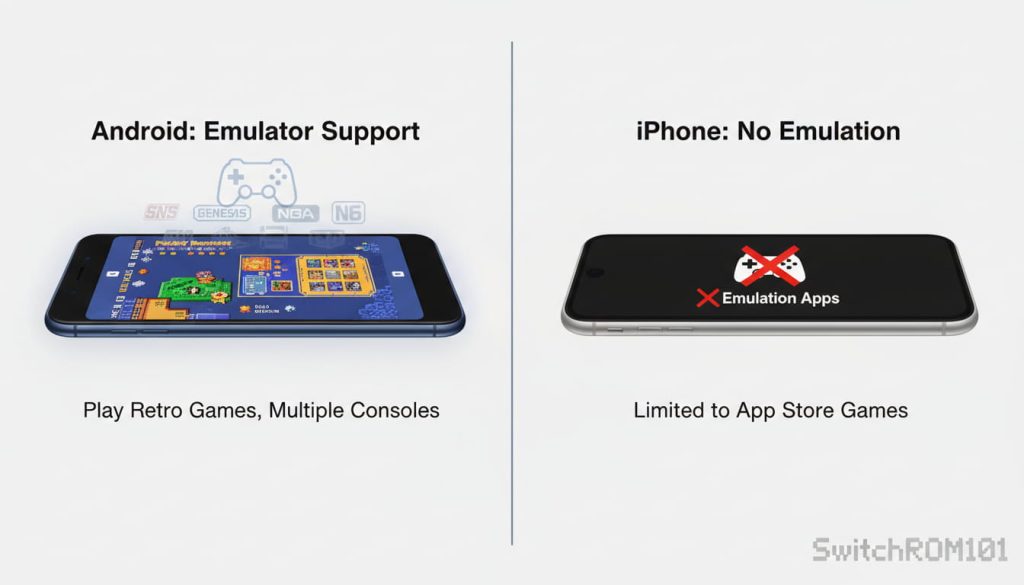
Android vs iOS
Currently, Android is the only mobile operating system with emulators that can run Switch ROMs. iOS does not support any native Switch emulation due to Apple’s stricter policies on app development and external emulation software.
Best Android Phones for Emulation
To run Switch ROMs at reasonable performance, you need a high-end Android phone with a strong CPU and GPU. Phones like:
- Google Pixel 6 Pro
- Samsung Galaxy S21 Ultra
- Xiaomi Mi 11
- OnePlus 9 Pro
These devices have the processing power and graphics capability needed for emulation, though performance will still vary depending on the game.
How Well Do Switch ROMs Run on Mobile?
Performance Expectations
- Resolution & Graphics: Even on a powerful phone, many games will run at a lower resolution than on the Switch console.
- Frame Rate: Expect frame rates to be lower than the console’s native 30 FPS or 60 FPS.
- Controls: While you can use touch controls or Bluetooth controllers, the mobile experience won’t be as smooth or natural as on a Switch or PC.
Limited Game Library
Due to hardware constraints and emulator development, not all Switch games will run well (or at all) on your phone. Games with advanced graphics, heavy physics, or large worlds may struggle.
The Legal and Ethical Considerations
Are Mobile Emulators Legal?
While the emulator itself is usually legal, ROMs are a different story. Emulators are software that allows you to run a game, but downloading ROMs (especially from unofficial sources) is often illegal unless you legally own the original game.
Always remember:
- Backup your own games if you want to play them on an emulator.
- Downloading ROMs from unofficial websites is often illegal and considered piracy.
Safer Alternatives to Mobile Emulation
Cloud Gaming Services
Instead of emulating Switch games on your phone, consider using cloud gaming services like:
- NVIDIA GeForce NOW
- Xbox Cloud Gaming (xCloud)
These services stream games directly from the cloud to your device, meaning you don’t have to worry about emulation, performance issues, or legal concerns.
Official Nintendo Switch Online App
If you want to enjoy classic Nintendo games, the Nintendo Switch Online app gives you access to a library of retro games. While not the same as running Switch ROMs, it’s a legal and reliable alternative for on-the-go gaming.
People Also Ask
Can you play Switch ROMs on your phone?
Yes, but only on some high-end Android phones using emulators, and performance varies widely.
Do Switch games run well on mobile emulators?
Most games run with reduced performance, lower frame rates, or compatibility issues.
Is Switch emulation available on iPhone?
No. iOS currently does not support native Nintendo Switch emulation.
Do you need a powerful phone for Switch emulation?
Yes. High-end processors and GPUs are required for acceptable performance.
Is it legal to play Switch ROMs on mobile?
Emulators are usually legal, but downloading ROMs you don’t own is often illegal.
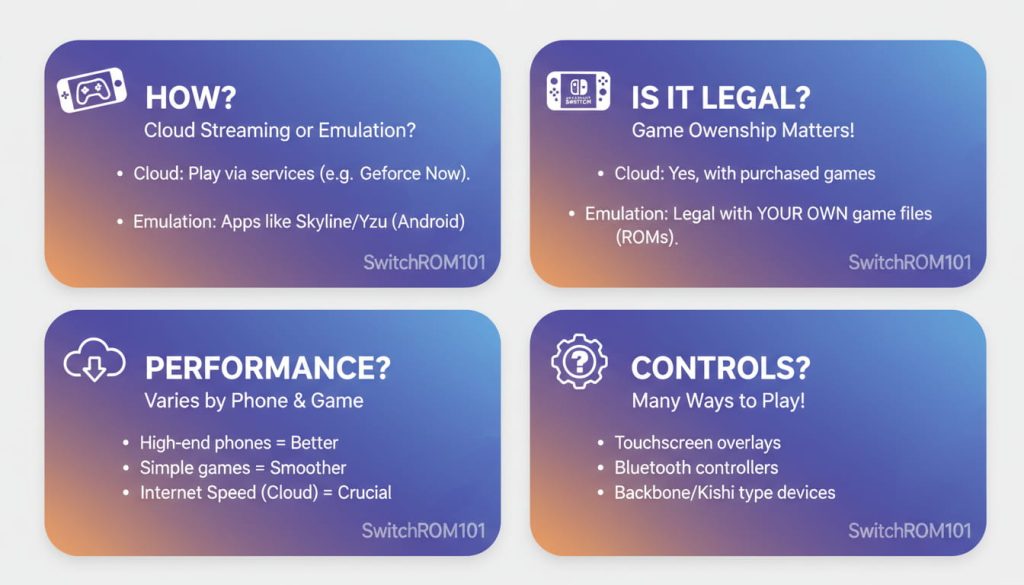
FAQ: Can I Play Switch ROMs on My Phone?
Can I play Switch ROMs on my Android phone?
Yes, with the right emulator (like Skyline or Yuzu), but performance may be limited.
Do I need a powerful phone to play Switch ROMs?
Yes, a high-end Android phone with a strong processor and GPU is recommended.
Will all Switch games work on mobile emulators?
No. Many games may experience performance issues or not work at all.
Is it legal to use Switch ROMs on my phone?
It depends on how you obtain the ROM. Owning a backup of your own game is legal, but downloading ROMs from unofficial sources is illegal.
Can I use a controller for playing Switch ROMs on my phone?
Yes, many emulators support Bluetooth controllers for a better gaming experience.
So, can you play Switch ROMs on your phone?
Yes, but it’s not perfect. Performance is often suboptimal due to hardware limitations, and many games may not work as well as they do on the original Switch or PC emulators. If you want to experiment, be sure to use a high-end Android phone, and be aware of legal risks involved in downloading ROMs.
For most players, cloud gaming services or official Nintendo apps might be a better option for mobile gaming.
Have you tried playing Switch ROMs on your phone? Share your experience in the comments below, or check out our guides on how to optimize your gaming setup for mobile and emulation.
Best Controllers for Switch Emulation: Top Picks for Ultimate Gaming Experience
Are Switch ROM Websites Safe? Risks of Malware & Scams Explained

(GameOverlord) has been involved in Nintendo Switch emulation
since 2019. She owns two Nintendo Switch consoles and a Steam Deck OLED,
and has hands-on tested over 40 Switch titles across Ryujinx and
Sudachi emulators. Her background is in consumer electronics and
she has followed emulation law developments in the US, UK, and EU
since the Yuzu shutdown in 2024. SwitchROM101 was built to fill the
gap left by misleading ROM sites — giving gamers accurate, legal,
and technically correct information without hosting any game files.