Does MIG Switch Work Without a Dumper Tool? What You Need to Know Before Buying (2026)
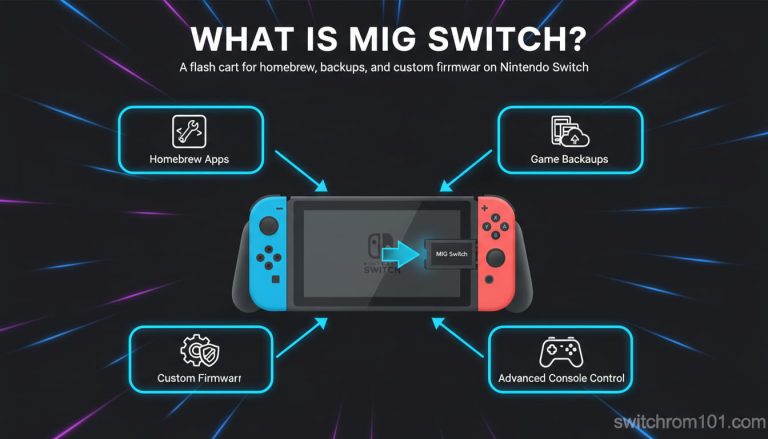
Quick answer: The MIG Switch flash cartridge and the MIG Dumper are two separate products sold independently. The cart plays XCI game backup files. The dumper creates them from physical cartridges. The cart can technically function without the dumper if XCI files already exist on its microSD card — but how those XCI files were created determines both legal and practical risk.
Understanding the two-product system
The MIG Switch ecosystem consists of two distinct hardware products that the manufacturer sells separately:
MIG Switch Flash Cart
The flash cartridge itself. It inserts into the Switch’s game card slot and contains an internal microSD card slot. It reads XCI game backup files from that microSD card and presents them to the console as if they were standard game cartridges. The cart has its own firmware (currently version 1.2.3 as of October 2025) and requires a microSD card with at least one XCI file to function.
The cart alone does nothing without XCI files on its microSD card.
MIG Dumper
A separate PC-connected accessory that creates XCI files from physical Switch cartridges. You insert a Switch game cartridge into the MIG Dumper, connect the Dumper to a PC via USB-C, and the Dumper reads the cartridge data and creates an XCI file on its connected microSD card. This process does not require a Nintendo Switch console at all — the Dumper works standalone with a PC.
The Dumper produces the XCI files that the MIG Switch cart plays back.
Can you use the MIG Switch cart without the Dumper?
Technically yes — if XCI files exist on the cart’s microSD card from any source. The cart does not verify or care how the XCI files were created. If you already have XCI files on a microSD card (from whatever source), the MIG Switch cart will attempt to load them.
The practical question is where those XCI files come from, and this is where the legal and risk context diverges significantly:
Best Pokemon Games on Steam Deck 2026
Scenario A: XCI files created using the MIG Dumper from your own cartridges
You own physical Switch cartridges. You use the MIG Dumper to create XCI files from those cartridges. You place those files on the MIG Switch cart’s microSD card. You do not share the files with anyone else.
This is the use case the MIG Switch team markets. The legal status in the US involves DMCA Section 1201 complexity (circumventing technological protection measures is generally prohibited regardless of ownership). In most EU countries, the CJEU Nintendo v. PC Box ruling applies. The practical risk of Nintendo enforcement against a private individual in this scenario is low, though not zero.
Scenario B: XCI files created using CFW on a homebrewed Switch
If you have a compatible (unpatched) Nintendo Switch with custom firmware like Atmosphere already installed, the CFW includes tools like NxDumpTool that can create XCI dumps from cartridges or installed games. These XCI files are technically equivalent to what the MIG Dumper produces and function identically on the MIG Switch cart.
This scenario requires a homebrewed Switch separately — MIG Switch plays no role in creating that setup.
Scenario C: XCI files from external sources
Loading XCI files obtained from sources other than your own cartridges — regardless of whether they are sourced from online repositories, public sharing platforms, or other users — is copyright infringement. Each Switch cartridge contains a unique certificate. Publicly-shared dumps use a single certificate that Nintendo’s servers flag when multiple consoles present the same ID. This is the primary mechanism behind the ban wave documented in June 2025.
Nintendo can detect public dump certificates: The June 2025 ban wave confirmed that consoles using publicly-shared XCI dumps received error code 2124-4508 (permanent console ban from online services) within 24 hours of connecting online. The detection is certificate-based and survives firmware updates.
What the MIG Dumper specifically does — technical detail
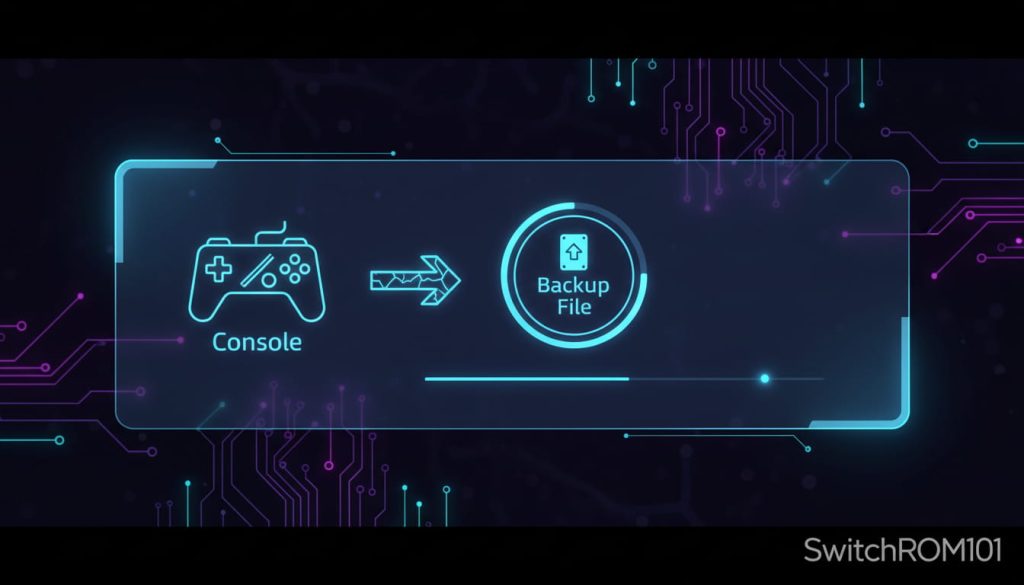
The MIG Dumper creates a complete XCI image of a Switch game cartridge. This includes:
- The full game data partition
- The update partition (if present on the cartridge)
- The game’s unique certificate (the specific cert tied to your physical cartridge)
This unique certificate is critical. A dump made from your own cartridge carries your cartridge’s specific certificate. When loaded on the MIG Switch, the console transmits this certificate to Nintendo’s servers during online play. Nintendo cross-references this against their database of issued certificates. A certificate that matches a known legitimate cartridge and appears to come from a single console is less likely to trigger detection than a certificate appearing simultaneously on thousands of consoles — which is what happens with publicly-shared dumps.
This is why the MIG Switch team consistently warns: only use private dumps created from cartridges you own, never public dumps.
Do you need both products?
| Situation | MIG Cart needed? | MIG Dumper needed? |
| Play backups on Switch | Yes | Only to create the files |
| Create XCI files from cartridges you own | No | Yes (or CFW alternative) |
| Have existing XCI files from CFW dump | Yes (to play on stock Switch) | No |
| Play Switch 1 games on Switch 2 | Yes (1.2.0+ firmware) | Separate (to create files) |
If you want to dump your own cartridges and play them on a stock Switch with no CFW: you need both products. If you already have a homebrewed Switch and can dump cartridges yourself: you only need the cart for stock-Switch playback. If you want to dump games to use with PC emulators like Ryujinx: you only need the Dumper (no cart required).
Frequently asked questions
Can MIG Switch work without the Dumper tool? Yes, the cart functions if XCI files exist on its microSD. But you need some method to create those XCI files — either the MIG Dumper or custom firmware on a compatible Switch.
Is the MIG Dumper worth buying separately? For users who want to dump their own cartridges without installing CFW on their Switch, yes. The Dumper is a self-contained PC tool that works with any Switch console. For users who already have CFW, the Dumper is redundant.
Can the MIG Dumper dump Switch 2 game cartridges? Current community testing shows the Dumper can read Switch 2 cartridges but produces incomplete data for Switch 2 Edition titles — typically yielding the Switch 1 version of the game without the Switch 2 specific patch. This is a current limitation of the Dumper firmware.
People Also Ask: MIG Switch Without a Dumper
Can I use MIG Switch without creating my own backups?
You can use it for legitimate homebrew files and lawful backups. Avoid unauthorized copyrighted downloads—this is where most users get into trouble.
What’s the difference between homebrew files and game ROMs?
Homebrew usually refers to community-made apps and tools. Game ROMs are copyrighted game data and should only be used as personal backups where permitted.
Do I need extra hardware to make legal backups?
Backup methods vary by region and setup. Always follow local laws and only back up content you legally own.
Is it safe to use modified setups online?
Online use can increase the risk of restrictions. Best practice is to keep modified usage separate from online services.
What’s the safest approach for beginners?
Focus on learning and using legitimate homebrew apps from trusted communities, keep your device secure, and avoid questionable downloads.

(GameOverlord) has been involved in Nintendo Switch emulation
since 2019. She owns two Nintendo Switch consoles and a Steam Deck OLED,
and has hands-on tested over 40 Switch titles across Ryujinx and
Sudachi emulators. Her background is in consumer electronics and
she has followed emulation law developments in the US, UK, and EU
since the Yuzu shutdown in 2024. SwitchROM101 was built to fill the
gap left by misleading ROM sites — giving gamers accurate, legal,
and technically correct information without hosting any game files.