How to Update MIG Switch Firmware: Version History, What Each Update Fixed (2026)
Note: This article covers the technical process of updating MIG Switch cart firmware for compatibility with Nintendo Switch firmware versions. It does not cover methods of avoiding Nintendo’s detection systems or online safety strategies — see our standalone risk guide for that context.
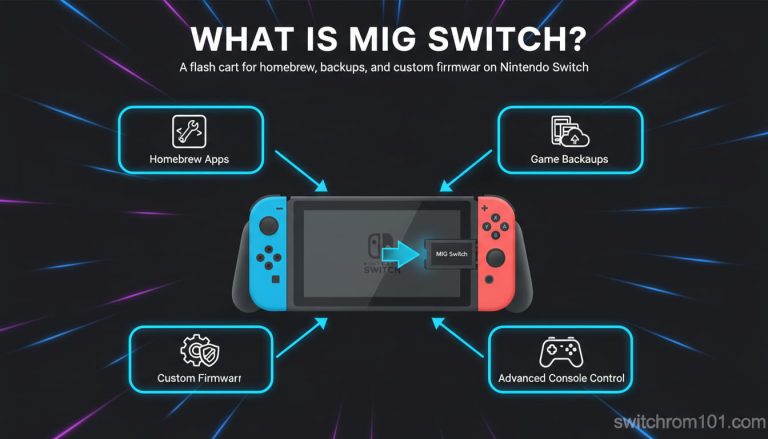
The MIG Switch flash cartridge requires firmware of its own — separate from the Nintendo Switch’s system firmware — to function correctly. This firmware controls how the MIG Switch presents itself to the console as a game cartridge, how it reads XCI files from its internal microSD card, and how it handles edge cases in the Switch’s cartridge validation process.
Nintendo Switch system firmware updates occasionally change how the console validates game cartridges. When this happens, MIG Switch carts that worked on the previous firmware version may fail to load games or trigger error messages on the updated firmware. MIG Switch firmware updates address these compatibility breaks.
Why MIG Switch firmware updates exist
The update process is entirely offline — firmware is loaded onto the cart via its microSD card, with no internet connection required for the cart update itself.
Current firmware version — 1.2.3 (October 2025)
The most recent MIG Switch firmware as of April 2026 is version 1.2.3, released October 2025. The primary fix in 1.2.3 was compatibility with Metroid Prime 4: Beyond, which uses a newer cartridge format that earlier firmware versions failed to load correctly.
Firmware files are distributed through the official MIG Switch product page and mirrored on GBAtemp’s download section. The file is named update.s2. Always download from these two official sources — third-party mirrors have no verification mechanism.
Complete firmware version history
| Version | Release Date | Key Change |
| 1.2.3 | Oct 10, 2025 | Fixed certain new games not loading, including Metroid Prime 4: Beyond |
| 1.2.2 | Sep 7, 2025 | Improved speed for OOB reads in trimmed ROMs; improved stability |
| 1.2.1b | Jul 7, 2025 | Beta fix for dumps not loading correctly in 1.2.1 |
| 1.2.1 | Jul 1, 2025 | Improved logic to make MIG Flash behave more identically to a real game card |
| 1.2.0 | Jun 2025 | Added Switch 2 compatibility for Switch 1 game backups |
| 1.1.9 | Apr 10, 2025 | Fixed Mac OS hidden XCI file creation causing game not loading |
| 1.1.8 | Feb 27, 2025 | Fixed MIG Dumper stopping early on certain cartridge types |
| 1.1.7 | Feb 18, 2025 | Fixed Dumper updates on Mac and Linux; added firmware version file to Dumper |
| 1.1.6 | Oct 8, 2024 | Urgent fix for Windows 11 23H2/24H2 Disk Signature Collision check |
| 1.1.5 | Sep 11, 2024 | Fixed rare drive disconnection issue in MIG Dumper |
| 1.1.4 | May 21, 2024 | Improved sleep mode support; improved microSD card support |
| 1.1.3 | Mar 31, 2024 | Improved sleep mode and microSD boot |
| 1.1.2 | Mar 21, 2024 | Added support for Kingston microSD and additional brands |
| 1.1.1 | Mar 16, 2024 | Added support for filenames with Unicode characters |
| 1.1.0 | Feb 26, 2024 | Improved boot time for fragmented XCI files; better ROM launch detection |
How to update MIG Switch cart firmware — step by step
- Download the latest update.s2 firmware file from the official MIG Switch product page or from the GBAtemp MIG Switch firmware download thread.
- Insert the microSD card from your MIG Switch into your PC using a card reader.
- Place the update.s2 file onto the root folder of the microSD card. If a previous update.s2 file exists, replace it.
- Remove the microSD card from the PC safely and reinsert it into the MIG Switch cart.
- Insert the MIG Switch cart into your Nintendo Switch console.
- Power on the Switch. The MIG Switch LED will flash blue during the update process.
- The update is complete when the blue LED stops flashing. This takes approximately 30–60 seconds.
- Test by loading a game from the cart to confirm the update applied correctly.
If the update fails (cart shows no games after update, or LED behaviour is abnormal): remove the microSD, reformat it as exFAT on a PC, redownload and re-place the update.s2 file, and retry from step 4.
Top 5 CPUs for Running Switch Emulators Smoothly in 2026
How to update MIG Dumper firmware
The MIG Dumper is a separate product with its own firmware. Its firmware is updated differently:
- Download the latest update.s2 file (same file used for the cart).
- Connect the MIG Dumper to your PC via USB-C cable.
- Drag and drop the update.s2 file to the MIG Dumper’s System folder, replacing the existing file.
- Safely eject the Dumper from the PC.
- The Dumper’s LED will indicate the update process. Wait until the LED stabilises before using.
What switch console firmware versions require which MIG firmware?
There is no official compatibility matrix published by the MIG Switch team. The general principle: if a Nintendo Switch firmware update causes games to fail to load on the MIG Switch, a MIG Switch firmware update addressing that incompatibility typically follows within days to weeks. Monitor the GBAtemp MIG Switch firmware thread for update announcements.
Switch 2 firmware 22.0.0 (March 2026) and 22.1.0 (April 2026) are the current system versions. No MIG Switch firmware update specifically targeting these versions has been released as of April 2026, but the firmware 1.2.3 cart is reported to function correctly with these system versions for Switch 1 game backups.
Frequently asked questions
What is the latest MIG Switch firmware? Version 1.2.3, released October 10, 2025. It fixed compatibility with newer game releases including Metroid Prime 4: Beyond.
Do I need to update MIG Switch firmware after every Switch system update? Not necessarily. Most Switch system firmware updates do not break MIG Switch compatibility. Updates are needed when a specific game fails to load or when the MIG Switch team releases a new version.
Where do I download MIG Switch firmware? The official MIG Switch product page (migflash.com or migflashunited.shop) and the GBAtemp MIG Switch firmware download thread. Do not download from unofficial mirrors.

(GameOverlord) has been involved in Nintendo Switch emulation
since 2019. She owns two Nintendo Switch consoles and a Steam Deck OLED,
and has hands-on tested over 40 Switch titles across Ryujinx and
Sudachi emulators. Her background is in consumer electronics and
she has followed emulation law developments in the US, UK, and EU
since the Yuzu shutdown in 2024. SwitchROM101 was built to fill the
gap left by misleading ROM sites — giving gamers accurate, legal,
and technically correct information without hosting any game files.